The 15 minutes after a meeting are where AI autocomplete earns its keep
4 min read
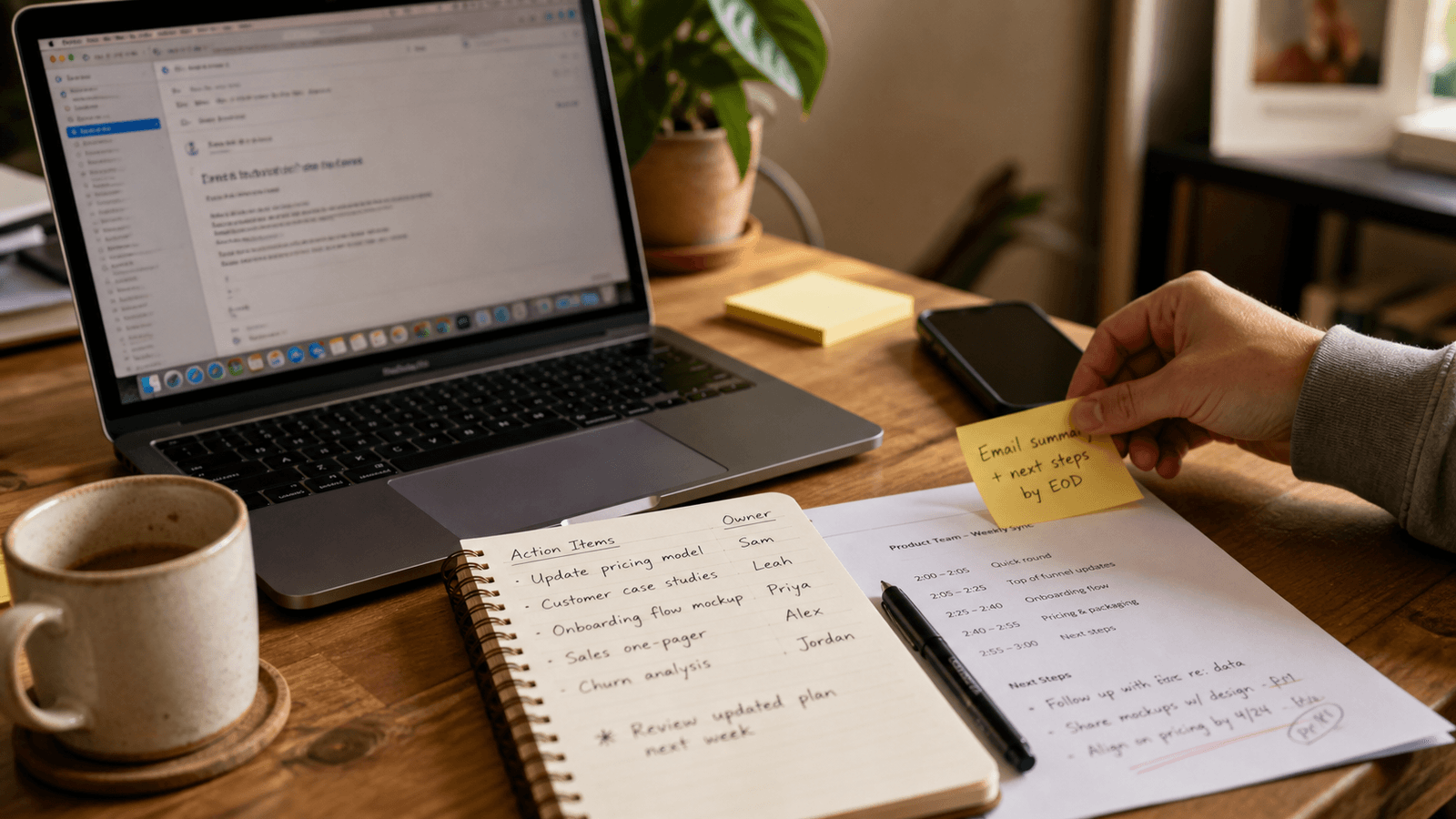
The most important writing in a meeting often starts after the meeting ends.
Not the transcript. Not the summary paragraph. Not the polished recap someone pastes into a doc an hour later.
The real work usually shows up in the next fifteen minutes.
That is when you have to turn a fuzzy conversation into useful motion:
- a Slack note that tells the team what changed
- an email that confirms the decision
- a line in your notes that you will need tomorrow
- a handoff sentence that makes ownership obvious
- a short follow-up that keeps a client from wondering what happens next
This is one of the clearest places where AI autocomplete on a Mac makes more sense than another generation-first writing workflow.
Because the problem is rarely, "Please invent a meeting recap for me."
The problem is, "I already know what happened. Help me land the next five sentences cleanly before the context evaporates."
The post-meeting window is mostly live coordination
People talk about meetings like the output is information.
Usually the output is coordination.
Who owns the next step? What slipped? What changed? What needs to happen today instead of next week? What should the other person pay attention to first?
Those answers rarely live in one pristine writing surface.
They get distributed across the apps where work already happens:
- calendar
- Slack
- notes
- the working doc that now needs one clearer paragraph
That is why the post-meeting window is such a good stress test for AI writing help.
You do not have time for a theatrical workflow. You are not looking for a detached essay generator. You are trying to keep momentum while translating one conversation into several small, useful pieces of writing.
A real example looks smaller than the demo
Imagine a founder finishing a thirty-minute pricing review.
Nothing dramatic happened. No one needs a six-paragraph memo.
But in the next few minutes, four writing jobs appear:
- A Slack update to the team: "We are holding the current pricing page until the onboarding copy is fixed."
- A short email to a contractor: "Please prioritize the headline revision before tomorrow afternoon."
- A note to self: "Re-test checkout after the pricing toggle is removed."
- A sentence in the working doc that makes the decision legible for anyone who missed the call.
None of these are blank-page problems.
They are sentence-finishing problems. Tone-setting problems. Ownership problems. Small clarity problems that are easy to delay when the meeting has already drained your attention.
That is exactly the scale where inline autocomplete earns more trust than a tool that asks you to leave the cursor, open another box, explain the meeting again, and then pull the answer back into the app where the work lives.
The value is not one big output
This is where a lot of AI writing demos miss the point.
They optimize for one visible artifact:
- the beautiful summary
- the perfect rewrite
- the impressive block of text
But most work writing is not judged by one artifact. It is judged by whether the right people know what to do next.
Post-meeting writing is a chain of tiny decisions:
- make the next step obvious
- carry the right tone into the follow-up
- keep the deadline intact
- preserve the nuance without rewriting the whole discussion
- avoid making the recipient re-parse the meeting from scratch
When AI help appears inline, you can use it on the exact part that matters. For Slack, a cursor-first reply routine for executives keeps your judgment in the sentence and your attention in the thread.
You keep your own structure. You keep your own judgment. You just lose less time on the connective tissue.
Why this feels better on a Mac
The Mac advantage here is not abstract.
It is that the writing day is already fragmented.
You leave the call and immediately bounce between apps.
If your writing tool can stay with you across those surfaces, the post-meeting window gets lighter:
- the Slack note is easier to tighten
- the email sounds clearer on the first pass
- the note to yourself becomes specific enough to be useful later
- the working doc gets the one sentence it was missing
That is a different promise from "AI will handle your meetings."
It is a smaller promise. And a more believable one.
Typeahead is strongest when it helps in the places where you are still clearly the one writing.
The model is not running the meeting. It is not deciding what matters. It is helping you finish the sentence while the decision is still fresh.
The best test is the next meeting you already have
If you want to know whether AI autocomplete belongs in your workflow, do not start with a staged writing prompt.
Start with the next ordinary meeting on your calendar.
When it ends, notice what you actually have to write in the next fifteen minutes.
Count the surfaces. Count the little transitions. Count how many times you need to make a sentence clearer, softer, firmer, or easier to act on.
That is where the product either proves itself or does not.
Not in the summary theater. In the follow-up burst.
Because that is where work leaves the meeting and becomes real again.