7 writing jobs where dictation and AI autocomplete work better together
7 min read
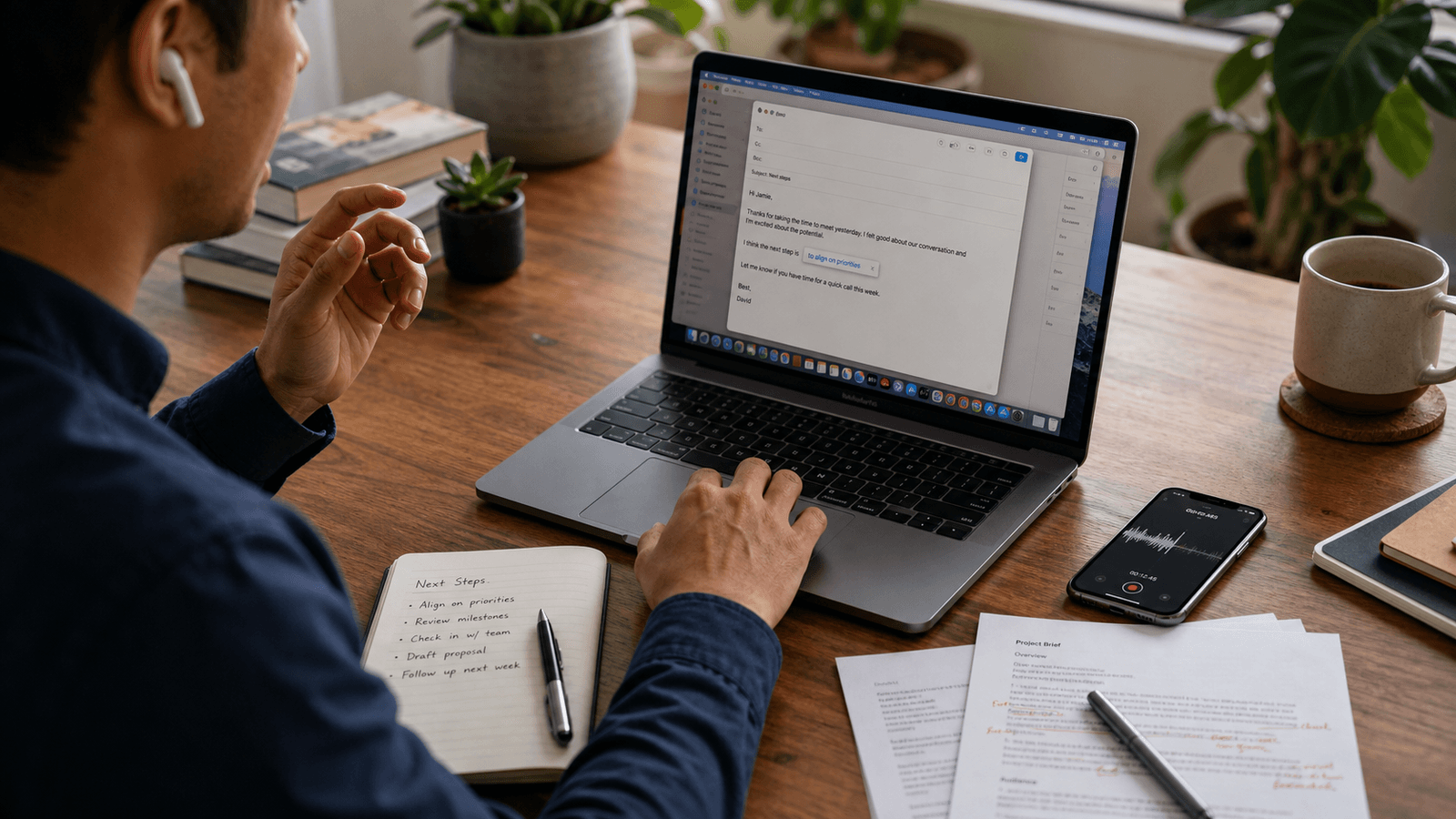
If you already like dictation on your Mac, you probably know the feeling.
It helps you get the thought out.
Then it leaves you with a slightly awkward sentence.
The idea is there. The wording is close. But the message still needs a cleaner turn, a softer ending, a better transition, or a more natural final line before you actually send it.
That is where people often give up on dictation for everyday work writing.
Not because speaking is slow. Because finishing still feels manual.
This is why dictation and AI autocomplete make sense together.
They solve different parts of the same problem.
Dictation is good at capturing momentum. Autocomplete is good at helping the sentence land while you are still inside the app where the real writing job lives.
If you think faster than you type, that pairing can be much more useful than either tool on its own.
1. The follow-up email you already know how to say
This is one of the cleanest use cases.
You already know the point:
- thanks for the time
- here is the next step
- here is the decision
- here is what I still need
Dictation helps when you want to get the rough version out fast. You speak the first pass while the conversation is still warm.
Then autocomplete helps with the part dictation often leaves messy:
- tightening the opening
- finishing the ask cleanly
- removing repeated words
- landing a closing line that sounds like you
The result feels lighter than asking a chat tool to draft the whole email. You are not starting over. You are finishing what you already meant.
2. The Slack reply that should sound fast, not careless
Slack is where dictation can be surprisingly useful and surprisingly risky.
Useful because the thought is usually small and immediate. Risky because spoken phrasing can land too blunt, too loose, or too long once it turns into text.
That is why the pairing matters.
Speak the core idea:
- yes, let us move this to tomorrow
- I think the blocker is still the pricing section
- I would start with the customer examples first
Then let autocomplete help shape the sentence into something sendable in the thread.
The job is not "write my Slack message for me."
The job is:
- help me say this faster
- keep the tone steady
- do it without making me leave Slack
That is a much better fit for inline help than for a separate drafting ritual.
3. The meeting notes that need to become usable before they cool off
Dictation is good for raw note capture.
You can talk through what happened, what matters, and what you do not want to forget.
But raw dictated notes are often not yet useful to anyone else.
They still need:
- clearer bullets
- better transitions
- cleaner action lines
- a more readable summary sentence
This is where autocomplete can help you turn spoken fragments into usable written notes while the context is still alive in your head.
You are not asking AI to invent the meeting summary from scratch. You are using your own spoken capture as the source material, then finishing the writing in place. It is especially useful in the 15 minutes after a meeting, when the wording of one decision has to stay intact as it moves from notes to Slack to email.
That is a different, more controlled workflow.
4. The draft opener when typing feels slower than thinking
Sometimes the hardest part of writing is not the structure.
It is getting enough momentum to begin.
Dictation can help you outrun that stall. You speak the opening thought before self-editing takes over.
Then autocomplete helps with the next problem: making the opener feel like real writing instead of transcribed speech.
This works especially well for:
- internal memos
- proposal starts
- customer updates
- planning docs
- personal notes you want to keep developing
Speak to start. Type and accept suggestions to shape. Keep moving.
That is often a more natural rhythm than waiting for a full generated draft and then supervising it back into your own voice.
5. The message you need to send while your hands are busy
There are a lot of small work moments where speaking is simply easier than typing:
- you are moving between calls
- you are fixing something on your desk
- you are jotting notes from printed pages
- you are switching between documents and do not want to break pace
Dictation gets words on screen. Autocomplete helps you clean up the ending once your hands are back on the keyboard.
That combination matters because many of these messages are short and practical:
- a teammate update
- a quick clarification
- a status note
- a next-step message
They do not deserve a whole AI chat workflow. They just need less friction between thought and send.
6. The sentence where spoken language is almost right
This is the hidden sweet spot.
Dictation often gets you 80 percent of the way there.
The meaning is right. The wording is not quite written yet.
Spoken language tends to be:
- a little more repetitive
- a little less structured
- a little softer or longer than needed
- occasionally missing the clean finish
Autocomplete is useful here because it helps with that last 20 percent.
Not by replacing the sentence with a new block of AI copy. By helping the written version arrive a little faster.
That is the difference between support and takeover.
7. The workday that moves across apps instead of one perfect writing surface
This is where the pairing becomes more than a neat trick.
Real writing days are fragmented.
You move through:
- Slack
- Notes
- docs
- browser fields
- comments
- small text boxes that still matter
Dictation on its own does not solve that. A separate AI writing box does not solve it either.
What helps is a setup where:
- you can speak when speech is the fastest input
- you can type when typing gives better control
- you can accept inline help without leaving the active app
That is what makes the workflow feel practical instead of theatrical.
A simple way to use the pairing without overthinking it
If you want to try this without turning it into a system, start with one rule:
Use dictation for momentum. Use autocomplete for finish.
In practice, that usually means:
1. Speak when you already know the point and want to get it out fast. 2. Stop once the rough sentence is visible. 3. Use inline suggestions only to tighten, continue, or soften what is already yours. 4. Ignore any suggestion that tries to change the point instead of helping you land it.
That keeps the human in charge of direction. It also keeps both tools in the jobs they are actually good at.
Why this pairing feels different from full-draft AI
Full-draft AI often treats writing like a handoff.
You explain the task. The model produces a chunk. You edit it.
Dictation plus autocomplete feels different because the writing still starts with you.
You supply:
- the thought
- the timing
- the context
- the stance
The tools help at the input layer, not the ownership layer.
That matters if you want to move faster without feeling like the machine quietly took over the sentence.
The best workflow is the one that keeps you in motion
Some days you want to type everything. Some days you want to speak first and clean up after.
The point is not to force one input method.
The point is to lower friction in the moment when writing is already happening.
Dictation helps when the bottleneck is getting the thought out. Autocomplete helps when the bottleneck is finishing the sentence cleanly.
Used together, they can make ordinary work writing feel lighter without making it feel outsourced.
That is the interesting part.
Not that AI can write for you.
That your Mac can help you keep moving in your own voice, across the apps where your day actually happens.
Typeahead fits that second half of the workflow especially well. It runs locally on your Mac, works across apps, and helps at the moment where spoken rough text usually still needs one cleaner written turn before you send it.