Why the sentence that says what changed needs better AI help
6 min read
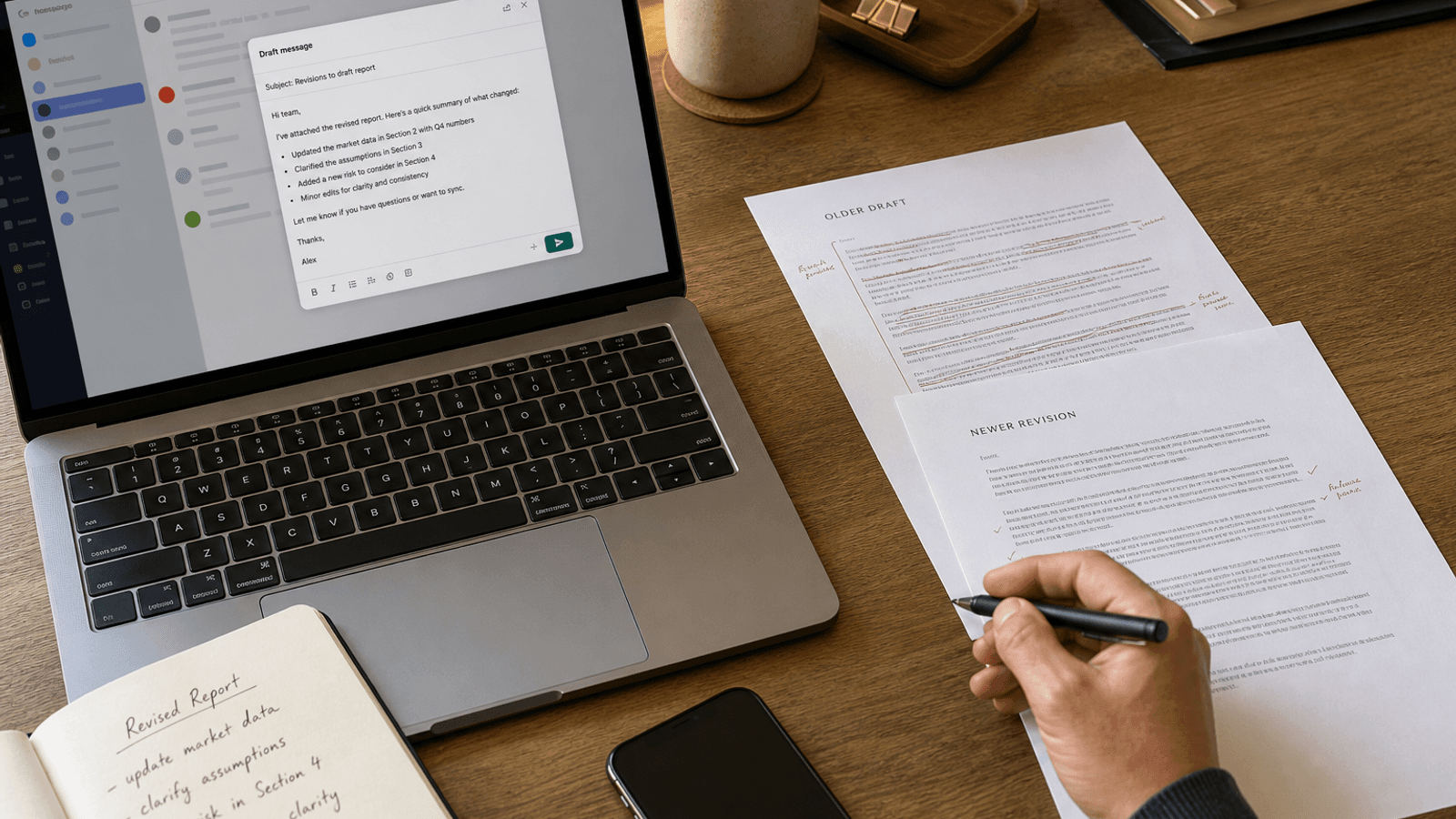
Sometimes the most useful line in a work message is not the ask.
It is the line that says what changed.
Not the full recap. Not the entire revision history. Just the short sentence that helps someone re-enter the document, thread, or plan without having to compare versions on their own.
That line does more coordination work than it gets credit for.
A lot of version confusion starts before anyone opens the file
People often send revisions with almost no framing.
They write:
- updated draft here
- latest version attached
- made a few changes
- sharing the new pass
- revised doc below
Those lines move the file. They do not move the reader.
The other person still has to figure out:
- what actually changed
- whether the change is structural or minor
- what is now decided versus still open
- whether they need to reread everything or just one section
- what kind of feedback still matters after the revision
That interpretation work is where a lot of time disappears.
The sentence that says what changed sets the reading mode
This is the hidden job.
The writer is not only sending a new version. They are helping the other person understand how to approach it.
A useful sentence might sound like:
- I tightened the recommendation, cut the background section, and left the pricing question open for this pass.
- The main change is that legal's comments are now folded in, so I mostly need a read on whether the opening still feels too cautious.
- I reordered the middle section and trimmed the examples, but the conclusion is still rough.
- The numbers are updated and the scope is narrower now. I do not need line edits yet, only a yes or no on the direction.
Those lines are small. They save the reader from doing detective work.
Now the reader knows where to look, what changed in meaning, and what kind of attention is useful.
Most people already know what changed
This is why the problem fits autocomplete so well.
The writer usually does not need AI to discover the revision. They already know it.
They know:
- which section moved
- which argument got sharper
- which risk got added
- which comments were resolved
- which uncertainty is still alive
The hard part is compressing that judgment into one or two natural sentences.
Too vague, and the reader still has to compare versions manually. Too long, and the message turns into a miniature change log. Too polished, and it stops sounding like a normal work note. Too soft, and the most important shift disappears inside filler.
That is sentence work. Not blank-page work.
Weak revision framing creates unnecessary second passes
When a new version arrives without a clear "what changed" line, people often respond in unhelpful ways.
They reread the wrong section. They comment on issues that were already fixed. They miss the one new risk the writer actually wanted checked. Or they delay because the whole thing now feels bigger than it is.
Now the writer has more work:
- clarifying what is new
- restating what to review
- separating resolved comments from open ones
- explaining why this version exists at all
- waiting for feedback that could have landed faster with better framing
The document did not need another major rewrite. It needed one cleaner sentence around the rewrite that already happened.
Full-draft AI often solves the wrong problem here
The writer is rarely asking:
"Can you write the entire update email for me?"
They are usually asking:
"Can you help me say what changed without making this note heavy?"
That is a smaller and more useful job.
Generation-first AI often overshoots.
It tends to produce:
- a full recap paragraph
- more process narration than the reader needs
- generic language that could describe any revision
- extra politeness around a note that should stay brisk
- more copy to supervise when the writer only needed one sharp framing line
Now the writer has a second job.
They have to trim the output back down until it sounds like something they would actually send between real tasks.
That is a lot of overhead for a line that should make the revision easier to read, not harder to introduce.
Better help belongs inside the live revision moment
This kind of writing does not happen in a vacuum.
It happens inside Mail. Inside Slack. Inside the note above a doc link. Inside the comment that accompanies a new deck. Inside the quick message someone writes while the updated file is already open on screen.
That matters because the writer can already see the real context:
- who is receiving the update
- which comments were already discussed
- whether the new version is broad or narrow
- what is still unresolved
- what kind of review would actually help next
That is why inline help fits the moment better.
The writer stays inside the real message. They keep their own judgment. They can accept a suggestion, reject it, or take it word by word until the note sounds like something they would send.
The AI helps make the revision legible. It does not take over the revision itself.
The line is really about respect for the reader's attention
People sometimes talk about revision notes as if they are administrative filler.
They are not.
They tell the other person:
- where to focus
- what not to waste time on
- what changed in the writer's thinking
- what still needs judgment
- how to re-enter the work without rereading everything from scratch
That is a considerate piece of writing.
It says:
- I know you have seen an earlier version
- I know your time is limited
- I know not every change deserves equal attention
- I am making it easier to help
That is good coordination. And it usually lives in one or two sentences.
A better "what changed" line can shorten the whole loop
One clean sentence can prevent:
- a slow review pass
- duplicate feedback
- confusion about what is actually new
- another explanatory follow-up
- a meeting that only exists because nobody knew where to look
That is a lot of leverage from a very ordinary line above a revised file.
The best version is usually not dramatic.
It just helps the reader understand what changed, what matters now, and how to respond without extra work. The same review gets easier when the writer also lands the sentence that defines good work.
Why this fits Typeahead
Typeahead is an AI autocomplete app for Mac that works across the apps where you already write.
It runs locally on your Mac. Suggestions appear inline while you type. You can accept the full suggestion, take it word by word, or ignore it completely.
That interaction model is a strong fit for revision-framing writing.
When the real job is to land one clean sentence about what changed without leaving the app, inline autocomplete is a better shape of help than opening a separate drafting tool, generating a long recap, and editing it back down into the note you meant to send in the first place.