Why the sentence that says what can wait needs better AI help
6 min read
Some of the most useful writing at work is not the line that creates urgency.
It is the line that removes false urgency.
The sentence that tells someone:
- this part matters today
- this other part can wait
- you do not need to solve everything right now
- a partial answer is enough to keep us moving
That sentence does more coordination work than people realize.
A lot of writing gets heavier because nothing is allowed to wait
This is a common failure mode in work.
A message asks for feedback, a decision, a draft, a fix, and a timing answer all at once. The sender knows not every part is equally urgent. The message does not say so.
Now the other person has to guess:
- what needs attention first
- what can slip without consequence
- whether they owe a full response or a narrow one
- whether the writer is managing priorities or just passing along stress
- whether delaying one piece will hold up the whole thing
That uncertainty makes the message feel larger than it is.
Sometimes the fastest way to move work forward is not to add pressure.
It is to write the sentence that says what can wait.
The sentence lowers the cost of replying
This is why it matters.
When a note makes everything sound active, the recipient has to carry the whole bundle. When a note separates now from later, the job gets smaller.
A useful sentence might sound like:
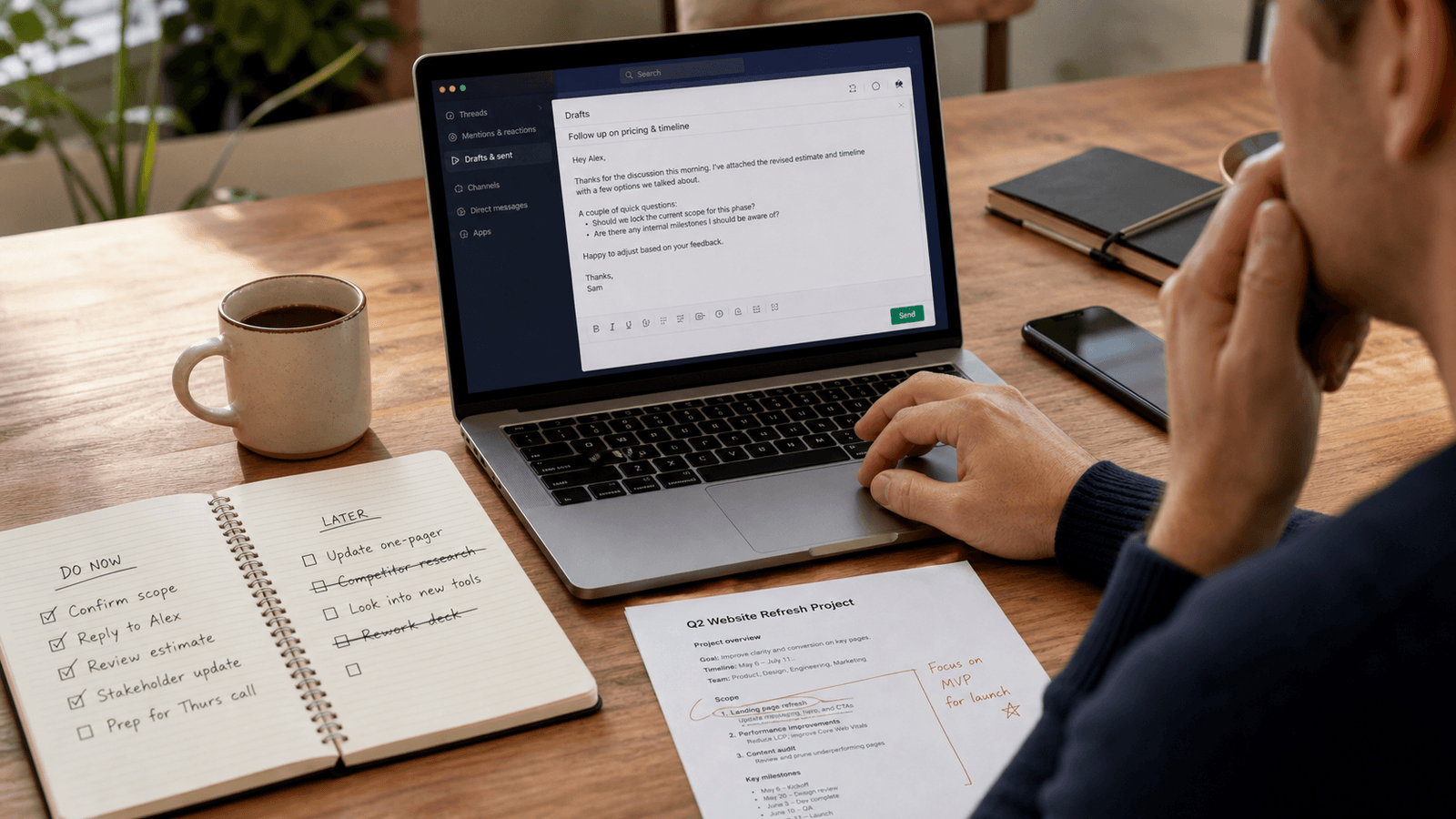
- The pricing comments matter today. The wording clean-up can wait until the next pass.
- If you only have time for one thing, I need the yes or no on scope first. The examples can wait.
- Do not worry about the deck polish yet. I mostly need to know whether the structure works.
- If the timeline is the only part you can review today, that is enough for me to keep moving.
Those lines do not make the work less real.
They make the next step more legible.
That often leads to a faster reply because the other person can see a manageable path through the ask.
Most people already know what can wait
This is why the problem fits autocomplete so well.
The writer usually does not need AI to invent the priorities. They already know them.
They know:
- which decision unblocks the next move
- which edits are nice to have but not needed now
- which section can stay rough for another day
- which feedback is essential before the send
- which part only becomes useful after the first answer comes back
The hard part is landing that judgment in one or two natural sentences. The same sentence-level friction appears in writing what good looks like, where a word-by-word suggestion can help your existing judgment land cleanly.
Too blunt, and the message sounds dismissive. Too soft, and nothing actually gets deprioritized. Too long, and the writer creates a mini memo about priorities. Too vague, and the reader still does not know what can safely wait.
That is sentence work. Not blank-page work.
When everything sounds urgent, people protect themselves
This is the hidden tax of weak priority writing.
If a message does not distinguish between now and later, the recipient often responds in one of three ways.
They delay because the ask feels too big. They answer the easiest part and ignore the important part. Or they give a broad response that does not actually unblock anything.
Now the writer has more follow-up work:
- clarifying what mattered first
- restating the real ask
- correcting work that happened in the wrong order
- sending another message to narrow the scope
- waiting longer for the one answer that was actually needed
The original message may have looked complete. It was missing priority structure.
Full-draft AI often solves the wrong problem here
The writer is rarely asking:
"Can you write the whole project update for me?"
They are usually asking:
"Can you help me say what matters now and what can wait?"
That is a smaller and more valuable job.
Generation-first AI often overshoots.
It tends to produce:
- a fuller paragraph of explanation
- more justification than the relationship needs
- softer language that hides the priority call
- extra summary around the one sentence that mattered
- more copy to supervise when the writer only needed a cleaner distinction
Now the writer has a second task.
They have to trim the message back down until the priority is visible again.
That is a lot of overhead for a line that should have made the work lighter.
Better help belongs inside the live writing moment
This kind of sentence shows up everywhere.
Inside Slack. Inside email. Inside the note above a doc link. Inside a project comment. Inside the quick message sent before someone steps into another meeting.
That matters because the writer can already see the real context:
- who is receiving the note
- how much directness the relationship can carry
- what dependency actually drives the timing
- whether the reader can only give a narrow answer right now
- which part of the work becomes irrelevant if the first answer is no
That is why inline help fits this moment better.
The writer stays inside the real message. They keep their own judgment. They can accept a suggestion, reject it, or take it word by word until the sentence sounds like something they would actually send.
The AI helps make the priority clearer. It does not take over the prioritization itself.
The sentence is really about respect
People often talk about work writing as if clarity is only about efficiency.
It is also about respect for the other person's attention.
When you tell someone what can wait, you are not only managing a task. You are showing that you understand they cannot carry every open loop at once.
That makes the message easier to trust.
It says:
- I know what I need from you now
- I know what does not need your attention yet
- I am not asking you to solve the whole problem in one reply
- I am making it easier to help
That is good writing. And it is usually harder than it looks.
A better sentence can move the whole thread
One clear priority sentence can prevent:
- an unnecessary follow-up
- a bloated review pass
- a reply that handles the wrong issue
- a delay caused by scope confusion
- a meeting that only exists because the ask was too wide
That is a lot of leverage from one line in the middle of an ordinary work message.
The best version is usually not dramatic.
It just makes the work feel smaller, clearer, and easier to answer.
Why this fits Typeahead
Typeahead is an AI autocomplete app for Mac that works across the apps where you already write.
It runs locally on your Mac. Suggestions appear inline while you type. You can accept the full suggestion, take it word by word, or ignore it completely.
That interaction model fits priority-setting writing especially well.
When the real job is to make the next step lighter without leaving the app, inline autocomplete is a better shape of help than opening a separate drafting tool, generating a longer note, and editing it back down into the sentence you meant to send in the first place.