Why the note above the attachment needs better AI help
7 min read
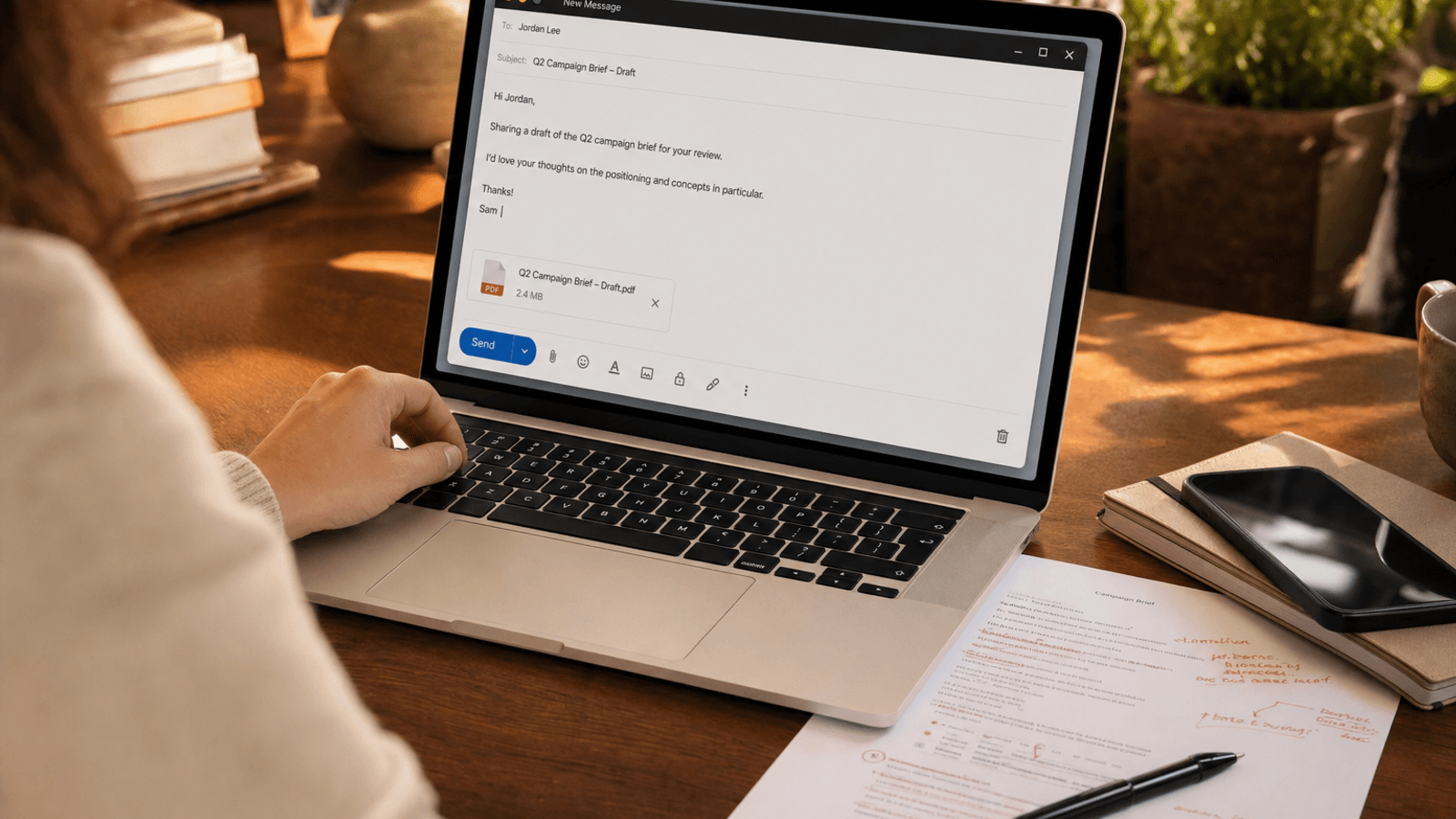
Sometimes the most important part of a document is not the document.
It is the note above it.
The two sentences that tell the reader what they are looking at. What kind of feedback matters. How finished the draft really is. What to pay attention to first.
That small note does more work than people give it credit for.
The attachment rarely speaks for itself
People like to say:
attached is the draft
sharing this here
see attached
adding the latest version
sending this over for review
Those lines are fine. They are also often incomplete.
The document may be attached. The job is still unclear.
The reader still has to guess:
is this a rough draft or nearly final
does the writer want broad reactions or a narrow check
what changed since the last version
what decision the draft is trying to unlock
whether a quick skim is enough or a real read is needed
That uncertainty creates drag before the attachment is even opened.
The note above the attachment sets the reading mode
This is the hidden writing job.
The writer is not only sending a file. They are framing the file.
A useful note tells the reader how to read what follows.
Sometimes that means saying:
Sharing the draft here mostly for feedback on the opening and pricing sections before I tighten the rest.
This is closer than it looks, so if anything feels off I would focus on the recommendation rather than line edits.
Attaching the latest version with legal's changes folded in. The only open question is whether the last section still feels too broad.
Sending this before the meeting so you can skim the structure first. I only need a yes or no on the direction today.
Those lines do not add ceremony. They remove interpretation work.
Now the reader knows what kind of attention is useful.
A weak framing note quietly creates extra review work
When the note is vague, the file often gets read the wrong way.
One person gives line edits on a section that was still provisional. Another responds to a detail that no longer matters. Someone else delays because they assume the document needs a deeper read than the moment actually requires.
Now the writer has more work:
clarifying what feedback was actually needed
correcting assumptions about what was final
sorting broad comments from narrow ones
sending another message to restate the real ask
waiting longer for the useful answer
The file did not fail. The framing did.
Most people already know how they want the attachment to be read
This is why the problem fits autocomplete so well.
The writer usually does not need AI to invent the document strategy from scratch. They already know the state of the draft.
They know:
which section is fragile
what changed in this version
whether the draft is exploratory or close to done
what level of response would actually help
what kind of tone fits the relationship
The hard part is compressing all of that judgment into two or three clean sentences.
Too vague, and the reader guesses wrong. Too long, and the note becomes a mini memo. Too defensive, and the writer sounds anxious about the draft. Too polished, and the message stops sounding like a normal work note.
That is sentence work. Not blank-page work.
Full-draft AI often solves the wrong problem here
The writer is rarely asking:
"Can you write the entire email that sends this attachment?"
They are usually asking:
"Can you help me land the short note that tells the reader how to read this file?"
That is a smaller and more useful job.
Generation-first AI often overshoots.
It tends to produce:
a full email with too much recap
more politeness than the relationship needs
generic review language that could sit above any attachment
filler around the ask instead of precision inside it
extra copy to supervise when the writer only needed one clean framing line
Now the writer has a second task.
They have to edit whether the model made the note:
too formal
too soft
too broad
too machine-balanced
too far from what they would naturally send
That is a lot of overhead for a message whose real value sits in the first few lines.
Better help belongs inside the live send moment
This kind of writing almost never happens in a dedicated writing environment.
It happens inside Mail. Inside Gmail. Inside a draft in Slack. Inside the note attached to a shared doc. Inside the message that gets written right before send because the writer finally knows what the file needs from the reader.
That matters because the context is already visible.
The writer can see:
who the file is going to
what earlier versions already said
whether the relationship can carry directness
whether the ask is broad review, narrow review, or simple awareness
what downstream decision depends on the file being read correctly
That is why inline help is the better shape of help here.
The writer stays inside the real message. They keep their own judgment. They can accept a suggestion, reject it, or take it word by word until the note sounds like something they would actually send.
The AI helps frame the attachment. It does not take over the relationship around it.
The framing note is often where authorship still matters most
The document may be long. The note above it is usually where the writer's judgment becomes visible.
That note reveals:
how much confidence they have in the current draft
what kind of attention they are asking for
how they want to manage the reader's time
whether they are inviting collaboration or requesting a decision
how much unfinishedness they are willing to expose
If a tool writes the whole send note for them, it can quietly make those decisions on their behalf.
That is where AI writing starts to feel alienating.
The words may sound fine. The stance no longer feels like theirs.
Lighter help fits better. The writer remains responsible for the judgment. The machine helps the right phrasing arrive faster.
A better note can save more time than a better draft
That sounds backwards until you watch how work actually moves.
A strong document with a weak framing note can still create:
slow feedback
irrelevant edits
repeated explanation
unnecessary meetings
uncertainty about what happens next
A decent document with a sharp framing note often gets a better response because the reader knows how to engage with it.
That is why the note above the attachment is not administrative filler. It is workflow design in sentence form.
The best attachment notes are usually smaller than people expect
They are rarely impressive. They are just clear enough to reduce guesswork.
Something like:
Sharing this mainly for a quick read on whether the recommendation feels too aggressive before I clean up the rest.
Sending the draft here with the latest comments addressed. If you only have five minutes, the section after the pricing table is the part I am least sure about.
Attaching the revised version before tomorrow's meeting so you can sanity-check the structure, not the wording.
This is close enough that I only need a call on the direction. If the framing works, I can tighten the language on my side.
That kind of note helps the reader start in the right place.
It makes the attachment easier to use. And making a file easier to use is often more valuable than making it longer.
Why this fits Typeahead
Typeahead is an AI autocomplete app for Mac that works across the apps where you already write.
It runs locally on your Mac. Suggestions appear inline while you type. You can accept the full suggestion, take it word by word, or ignore it completely.
That interaction model fits attachment framing especially well.
You are already in the email. You already know the state of the draft. You already know what kind of feedback or decision you need.
The useful help is not a separate writing ceremony in another window.
It is the quiet suggestion that helps you finish the two lines above the file while the real context is still on screen.
For a surprising amount of work, that is the sentence that decides whether the attachment gets read the right way at all.